
Thunderbolt
Saves to local browser storage. Followed topics appear on the homepage and refresh on each visit.Also known as thunderbolt 5·thunderbolt 4·thunderbolt 3·thunderbolt 5 dock·thunderbolt dock
Tracked Prices
Refreshed every 6 hours€299.00 – €329.00
- notebooksbilliger.de €329.00
- UGREEN GROUP LIMITED UK €459.99
Show all 5 tracked SKUs
Videos
From the channels we track iVANKY FusionDock Ultra: The Thunderbolt 5 dock built for Mac workflows [Sponsored]
 Dell SD25TB5 Thunderbolt 5 Dock Teardown
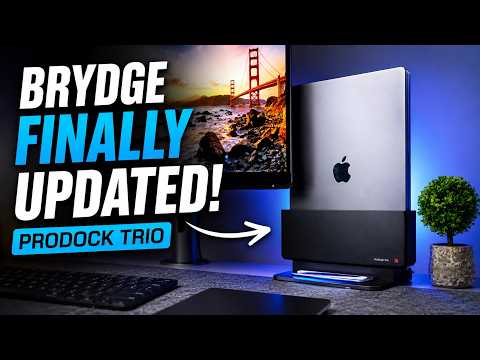 Brydge ProDock Trio Review: Ultimate MacBook Thunderbolt Dock with MagSafe!
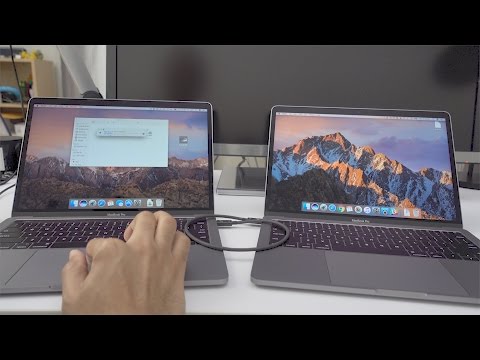 How to transfer files between two MacBook Pros using Thunderbolt 3
 Thunderbolt Share Just Killed Your Thumb Drive
 Turn 2 Drives Into 1 (Or Mirror Them!) – Acasis EC4501 USB4/Thunderbolt NVMe + SATA RAID
People also ask
Common questions on Thunderbolt, surfaced from across the indexed web.
Is USB4 or Thunderbolt 5 worth it over USB 3.2?
Only if your host supports it and you move large files. The USB4 drives here roughly double the throughput of the fastest USB 3.2 Gen 2×2 drives, around 3.2GB/s against 1.8GB/s, which is real time saved on a 100GB video transfer. If you are moving documents and photos, or your laptop tops out at 10Gbps, a Gen 2×2 drive at half the price is the better buy. Note also that a Thunderbolt 5 drive on an older port runs at the older port’s speed, which our Pro5 testing shows plainly.
Best Portable SSDs in 2026: Lab-Tested LeaderboardHow did the RTX 4060 paired to a Thunderbolt 5 eGPU dock perform in Forza Horizon 6 on the Zenbook A16?
The RTX 4060 on the Thunderbolt 5 eGPU dock delivered playable frame rates in Forza Horizon 6 on the ASUS Zenbook A16. A frame rate counter failed to work for that game, so no specific FPS numbers were reported. Answered
YouTuber benchmarks RTX 4060 on Snapdragon X2 Elite laptop using RTX Spark developer driverShould I buy the Satechi Thunderbolt 5 CubeDock?
Swipe to scroll horizontally Value Despite initially seeming like an expensive dock, once you weigh up the features, it’s extremely well priced. 3.5 Design Reflective of the Mac Mini, the weight and size make this a great desktop option with a premium build and the option to install an SSD 4.5 Features Integrated NVMe enclosure, 140W charging, UHS-II card readers and single cable connection to your machine 4 Performance To make the most of the speed, you need Thunderbolt 5, and it is a good, balanced option 4 Overall A great dock that will be a perfect partner for any creative, an upgrad
I tested the Satechi Thunderbolt 5 CubeDock and finally found the ultimate docking station for creativesHow does 25 Gbps perform on the Mac?
Like earlier, it maxes out around 20-25 Gbps, because of the slower Thunderbolt 3 connection. Testing Samba file copies between my NAS and my Mac, I got around 1.4 GB/sec read, and 1 GB/sec write. That's only marginally better than the built-in 10G Ethernet. It's an improvement, sure... but was all the work pulling fiber, designing a fan cowling, paying $200 for all the parts, and assembling everything worth it? Maybe. At least I got this blog post out of it.
Getting 25 Gbps Thunderbolt Ethernet on my Mac Studio